> ## Documentation Index
> Fetch the complete documentation index at: https://docs.poixe.com/llms.txt
> Use this file to discover all available pages before exploring further.
# Nano Banana Image Generation
Nano Banana is Google's family of Gemini AI image generation models. It supports generating and editing images conversationally using text, images, or a combination of both.
The family includes three main models:
| Model alias | Official model name | Positioning |
| - | - | - |
| `nano-banana` | `gemini-2.5-flash-image` | Speed first: high throughput, low latency |
| `nano-banana-pro` | `gemini-3-pro-image-preview` | Quality first: supports 4K and advanced text rendering |
| `nano-banana-2` | `gemini-3.1-flash-image-preview` | Optimized for speed and large-scale usage |
Poixe supports calling models by either **model alias** or **official native model name**.
Aliases are only internal mappings. If the official models are later updated or replaced, we may adjust the alias mappings accordingly to keep them working.
## Showcase
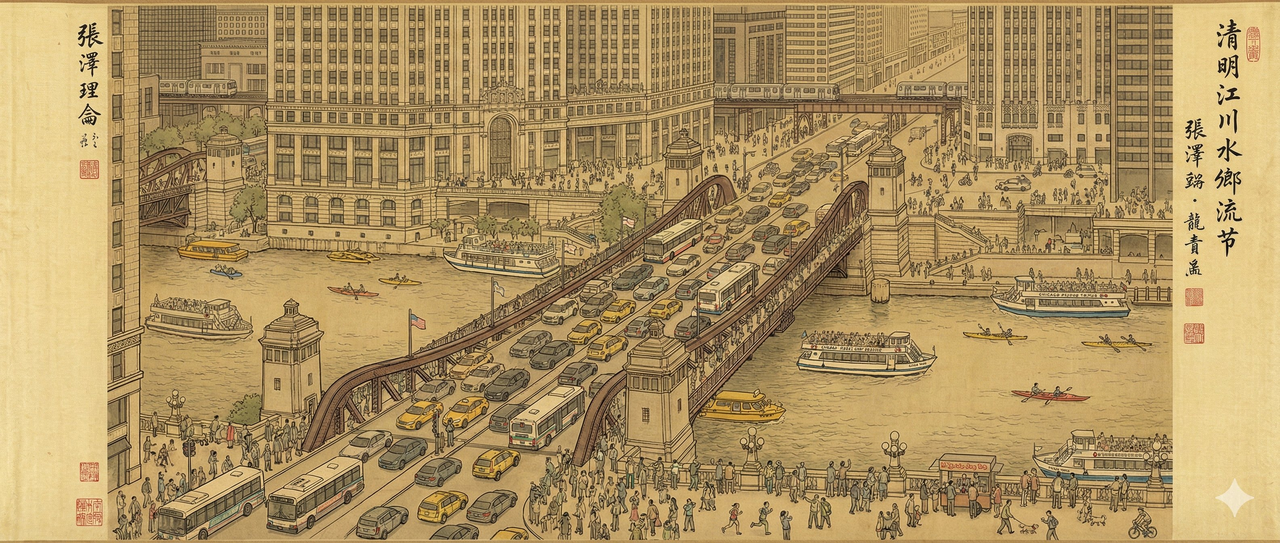
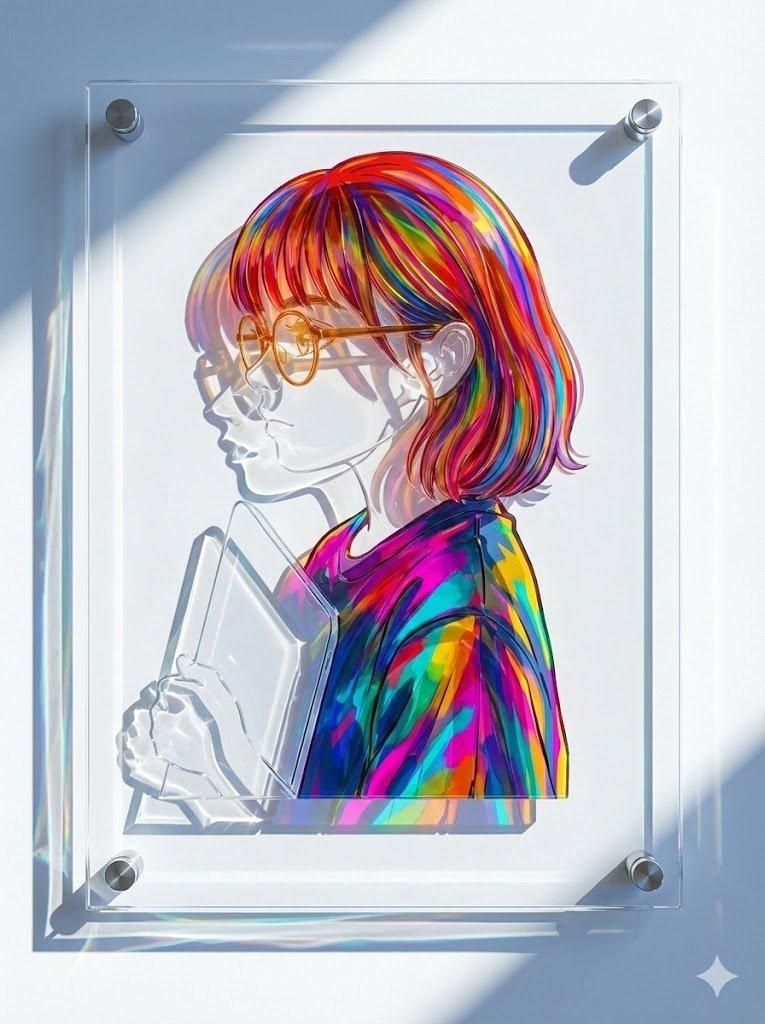
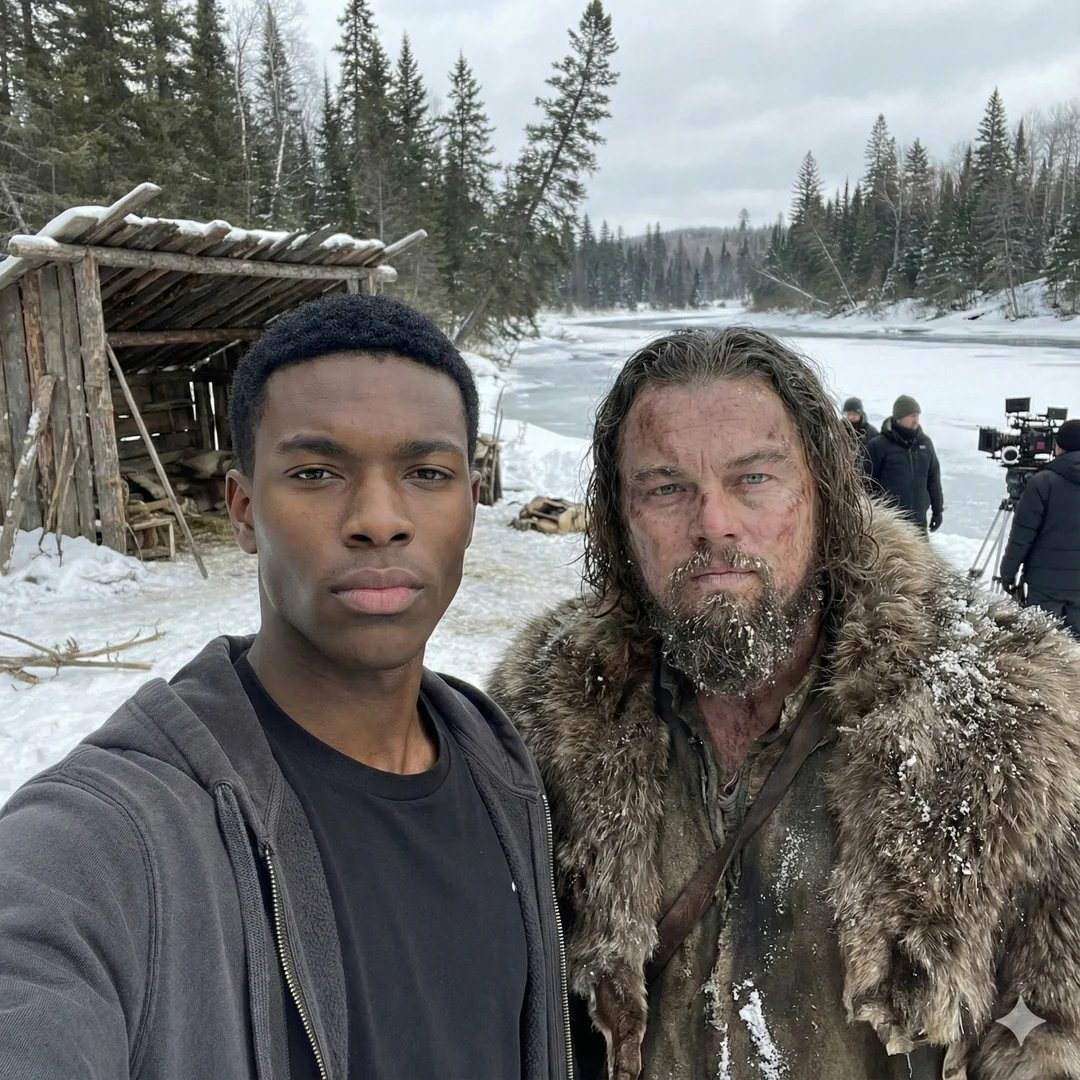
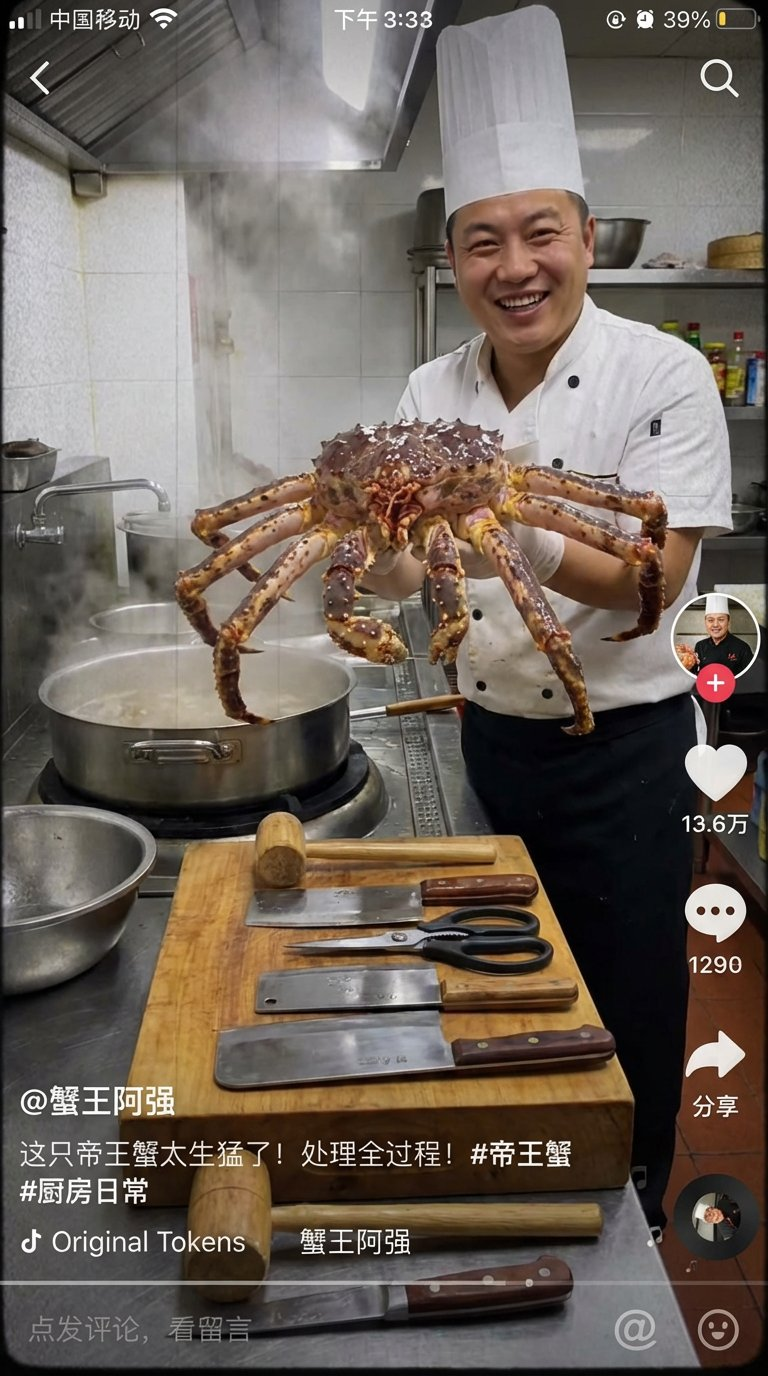
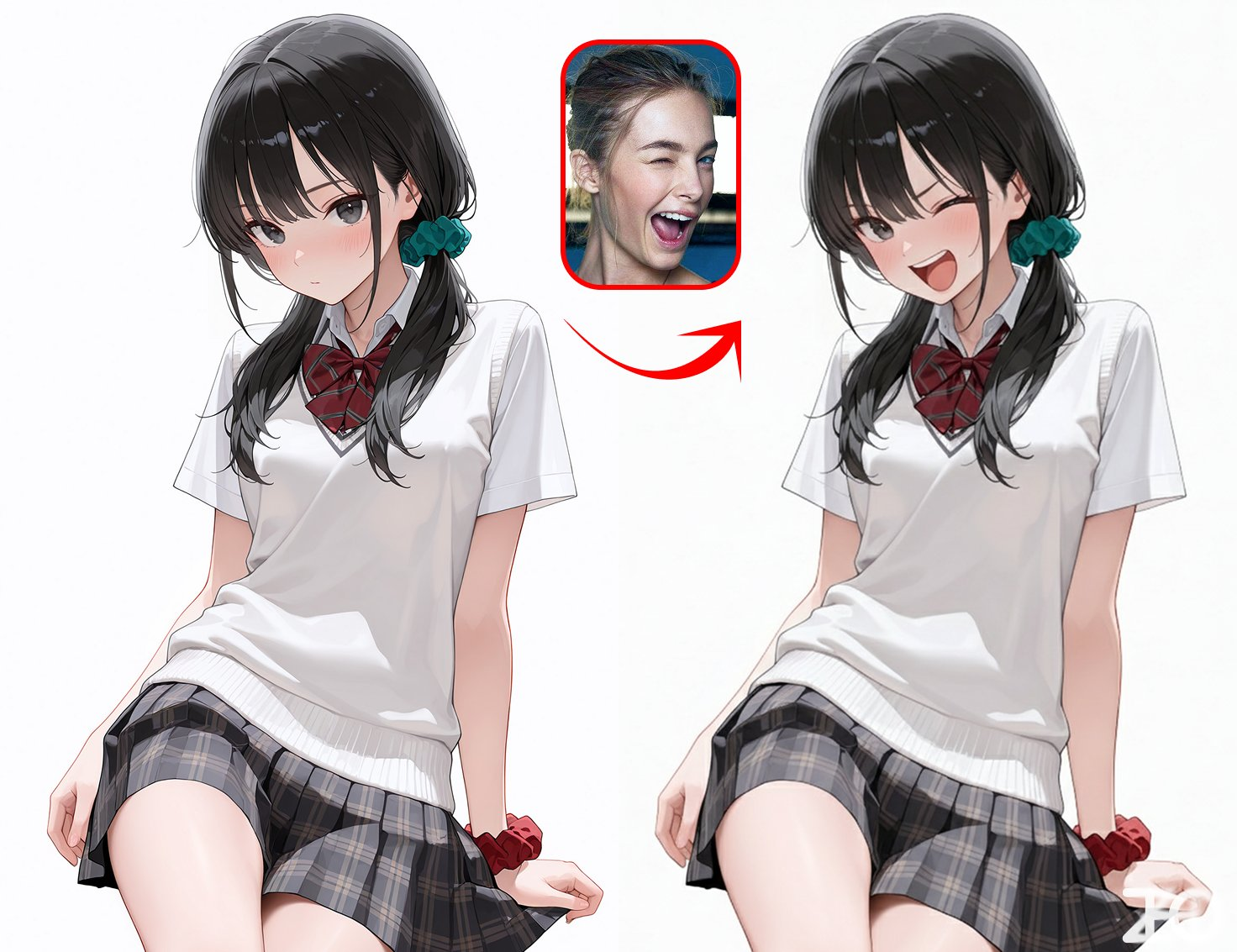
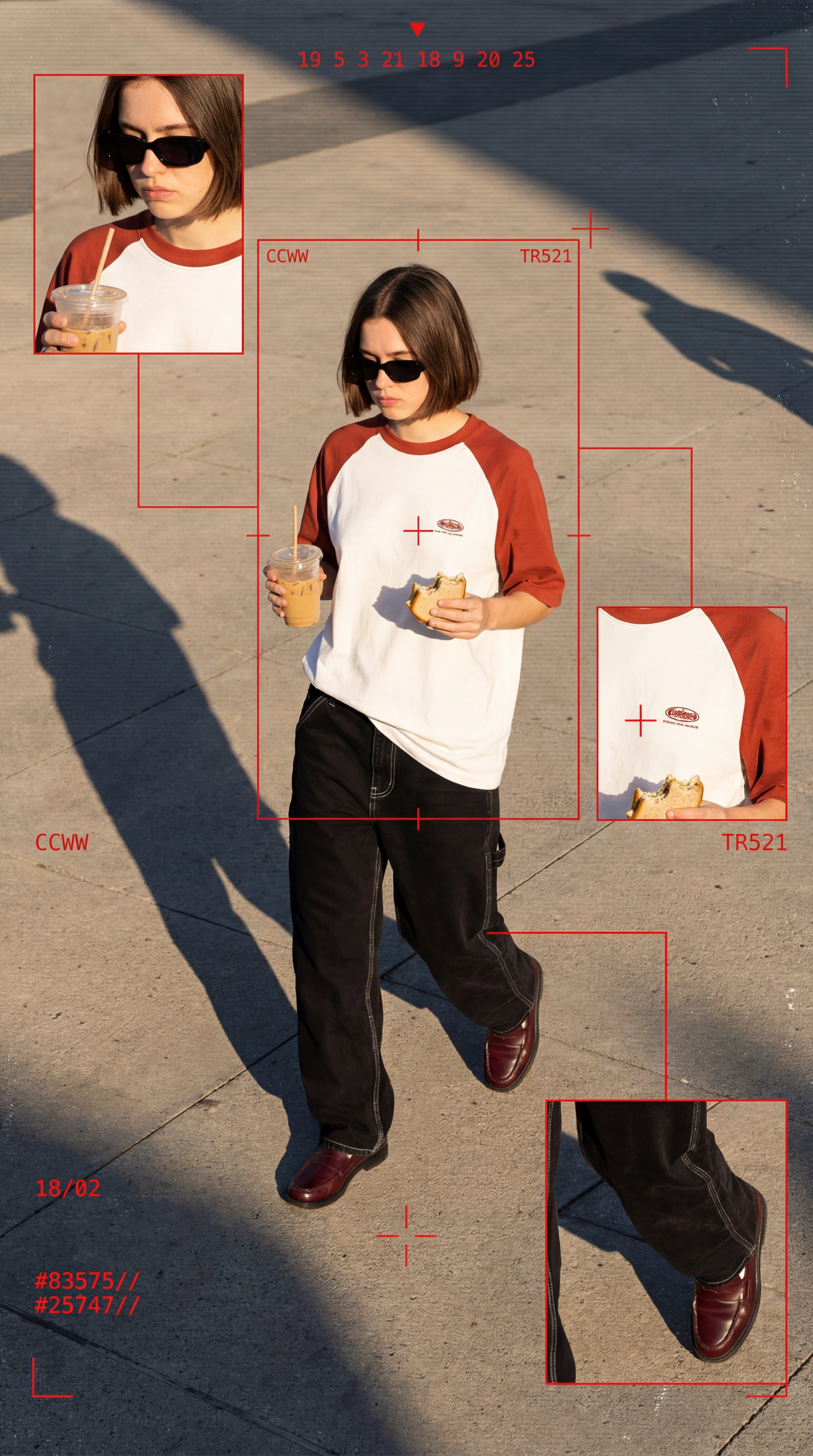
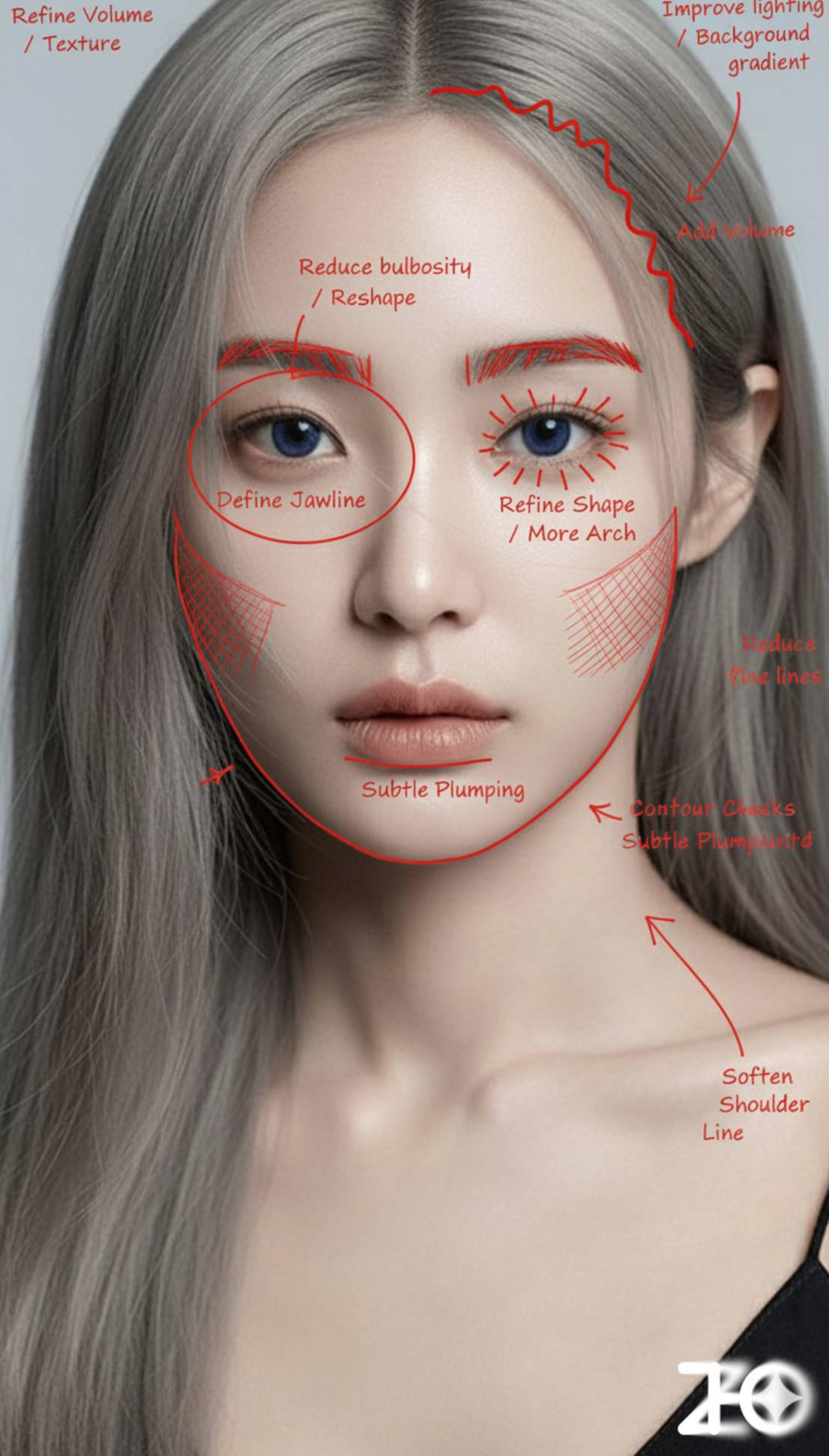
Nano Banana excels at text rendering, complex compositions, and understanding Eastern aesthetics.

 ## Model comparison
| Feature | Nano Banana | Nano Banana Pro | Nano Banana 2 |
| - | - | - | - |
| Generation speed | \~10 s | \~20 s | \~8 s |
| Max resolution | 1024×1024 (1K) | 4096×4096 (4K) | 4096×4096 (4K) |
| Text rendering | Basic | Excellent | Good |
| Reference images | Up to 3 | Up to 14 | Up to 14 |
| Reasoning | Standard | Advanced | Standard+ |
| Local editing | Basic | Advanced | Intermediate |
**Recommendations**:
* Fast image output, general scenarios → `nano-banana`
* High clarity, text rendering, professional design → `nano-banana-pro`
* Lower cost and higher concurrency → `nano-banana-2`
## Pricing
The Nano Banana family follows Google's official billing logic, and also benefits from Poixe's user-level discounts.
Base billing has three parts: prompt input (Text/Image Input), text/thinking output (Text Output), and image generation output (Image Output).
Corresponds to `nano-banana` or `gemini-2.5-flash-image`:
* **Input (text/image)**: \$0.30 / 1M Tokens
* **Output (text)**: \$2.50 / 1M Tokens
* **Output (image)**: \$30.00 / 1M Tokens
* **Per-image price**: a standard image (1024x1024) consumes 1,290 tokens, about **\$0.039/image**.
Corresponds to `nano-banana-pro` or `gemini-3-pro-image-preview`:
* **Input (text/image)**: \$2.00 / 1M Tokens
* **Output (text/thinking)**: \$12.00 / 1M Tokens
* **Output (image)**: \$120.00 / 1M Tokens
* **Per-image price**:
* **1K/2K resolution**: consumes 1,120 tokens, about **\$0.134/image**
* **4K resolution**: consumes 2,000 tokens, about **\$0.240/image**
Corresponds to `nano-banana-2` or `gemini-3.1-flash-image-preview`:
* **Input**: \$0.5 / 1M Tokens
* **Output (text)**: \$3.00 / 1M Tokens
* **Output (image)**: \$60.00 / 1M Tokens
* **Per-image price**:
* **0.5K resolution**: consumes 747 tokens, about **\$0.045/image**
* **1K resolution**: consumes 1,120 tokens, about **\$0.067/image**
* **2K resolution**: consumes 1,680 tokens, about **\$0.101/image**
* **4K resolution**: consumes 2,520 tokens, about **\$0.151/image**
**Note**: The above is only the official pricing. The final price on Poixe is calculated from these official prices with a discount based on your benefit level (Level).
## Quickstart
Poixe serves the Nano Banana models through the **Google Gemini Content protocol**, which is also the officially recommended way to call them. See the following documentation for details:
Learn how to call the Nano Banana models through this protocol
**Note**: Because Nano Banana models involve image generation, response times are usually longer. We recommend using the secondary endpoint, which is friendlier to long-lived connections without a CDN. For configuration, see [Base URL](/en/api-reference/introduction/base-url).
If your connection is unexpectedly interrupted during a call, see [Recovering Interrupted Responses](/en/api-reference/system-api/recoveries/overview) for how to use Poixe's recovery mechanism to continue retrieving the unfinished response.
### Request example
```bash theme={"theme":{"light":"min-light","dark":"min-dark"}}
curl "https://api.poixe.com/v1beta/models/gemini-3-pro-image-preview:generateContent" \
-H "x-goog-api-key: $POIXE_API_KEY" \
-H "Content-Type: application/json" \
-X POST \
-d '{
"contents": [
{
"parts": [
{
"text": "An orange tabby cat sitting on a windowsill watching the rain, cyberpunk style"
}
]
}
],
"generationConfig": {
"responseModalities": ["Text", "Image"],
"imageConfig": {
"aspectRatio": "16:9",
"imageSize": "2K"
}
}
}'
```
### Response example
```json theme={"theme":{"light":"min-light","dark":"min-dark"}}
{
"candidates": [
{
"content": {
"parts": [
{
"text": "Here is a cyberpunk-style image of an orange tabby cat sitting on a windowsill watching the rain."
},
{
"inlineData": {
"mimeType": "image/png",
"data": "iVBORw0KGgoAAAANSUhEUgAA..."
},
"thoughtSignature": "EtORtgIKzpG2Ag..."
}
],
"role": "model"
},
"finishReason": "STOP",
"index": 0
}
],
"usageMetadata": {
"promptTokenCount": 14,
"candidatesTokenCount": 1253,
"totalTokenCount": 1490,
"promptTokensDetails": [
{
"modality": "TEXT",
"tokenCount": 14
}
],
"candidatesTokensDetails": [
{
"modality": "IMAGE",
"tokenCount": 1120
}
],
"thoughtsTokenCount": 223
},
"modelVersion": "gemini-3-pro-image-preview",
"responseId": "cKaFae-1Ee307M8Py5OosAE"
}
```
### Output preview
Image data is returned base64-encoded. Decode it to get a PNG/JPEG image.
## Model comparison
| Feature | Nano Banana | Nano Banana Pro | Nano Banana 2 |
| - | - | - | - |
| Generation speed | \~10 s | \~20 s | \~8 s |
| Max resolution | 1024×1024 (1K) | 4096×4096 (4K) | 4096×4096 (4K) |
| Text rendering | Basic | Excellent | Good |
| Reference images | Up to 3 | Up to 14 | Up to 14 |
| Reasoning | Standard | Advanced | Standard+ |
| Local editing | Basic | Advanced | Intermediate |
**Recommendations**:
* Fast image output, general scenarios → `nano-banana`
* High clarity, text rendering, professional design → `nano-banana-pro`
* Lower cost and higher concurrency → `nano-banana-2`
## Pricing
The Nano Banana family follows Google's official billing logic, and also benefits from Poixe's user-level discounts.
Base billing has three parts: prompt input (Text/Image Input), text/thinking output (Text Output), and image generation output (Image Output).
Corresponds to `nano-banana` or `gemini-2.5-flash-image`:
* **Input (text/image)**: \$0.30 / 1M Tokens
* **Output (text)**: \$2.50 / 1M Tokens
* **Output (image)**: \$30.00 / 1M Tokens
* **Per-image price**: a standard image (1024x1024) consumes 1,290 tokens, about **\$0.039/image**.
Corresponds to `nano-banana-pro` or `gemini-3-pro-image-preview`:
* **Input (text/image)**: \$2.00 / 1M Tokens
* **Output (text/thinking)**: \$12.00 / 1M Tokens
* **Output (image)**: \$120.00 / 1M Tokens
* **Per-image price**:
* **1K/2K resolution**: consumes 1,120 tokens, about **\$0.134/image**
* **4K resolution**: consumes 2,000 tokens, about **\$0.240/image**
Corresponds to `nano-banana-2` or `gemini-3.1-flash-image-preview`:
* **Input**: \$0.5 / 1M Tokens
* **Output (text)**: \$3.00 / 1M Tokens
* **Output (image)**: \$60.00 / 1M Tokens
* **Per-image price**:
* **0.5K resolution**: consumes 747 tokens, about **\$0.045/image**
* **1K resolution**: consumes 1,120 tokens, about **\$0.067/image**
* **2K resolution**: consumes 1,680 tokens, about **\$0.101/image**
* **4K resolution**: consumes 2,520 tokens, about **\$0.151/image**
**Note**: The above is only the official pricing. The final price on Poixe is calculated from these official prices with a discount based on your benefit level (Level).
## Quickstart
Poixe serves the Nano Banana models through the **Google Gemini Content protocol**, which is also the officially recommended way to call them. See the following documentation for details:
Learn how to call the Nano Banana models through this protocol
**Note**: Because Nano Banana models involve image generation, response times are usually longer. We recommend using the secondary endpoint, which is friendlier to long-lived connections without a CDN. For configuration, see [Base URL](/en/api-reference/introduction/base-url).
If your connection is unexpectedly interrupted during a call, see [Recovering Interrupted Responses](/en/api-reference/system-api/recoveries/overview) for how to use Poixe's recovery mechanism to continue retrieving the unfinished response.
### Request example
```bash theme={"theme":{"light":"min-light","dark":"min-dark"}}
curl "https://api.poixe.com/v1beta/models/gemini-3-pro-image-preview:generateContent" \
-H "x-goog-api-key: $POIXE_API_KEY" \
-H "Content-Type: application/json" \
-X POST \
-d '{
"contents": [
{
"parts": [
{
"text": "An orange tabby cat sitting on a windowsill watching the rain, cyberpunk style"
}
]
}
],
"generationConfig": {
"responseModalities": ["Text", "Image"],
"imageConfig": {
"aspectRatio": "16:9",
"imageSize": "2K"
}
}
}'
```
### Response example
```json theme={"theme":{"light":"min-light","dark":"min-dark"}}
{
"candidates": [
{
"content": {
"parts": [
{
"text": "Here is a cyberpunk-style image of an orange tabby cat sitting on a windowsill watching the rain."
},
{
"inlineData": {
"mimeType": "image/png",
"data": "iVBORw0KGgoAAAANSUhEUgAA..."
},
"thoughtSignature": "EtORtgIKzpG2Ag..."
}
],
"role": "model"
},
"finishReason": "STOP",
"index": 0
}
],
"usageMetadata": {
"promptTokenCount": 14,
"candidatesTokenCount": 1253,
"totalTokenCount": 1490,
"promptTokensDetails": [
{
"modality": "TEXT",
"tokenCount": 14
}
],
"candidatesTokensDetails": [
{
"modality": "IMAGE",
"tokenCount": 1120
}
],
"thoughtsTokenCount": 223
},
"modelVersion": "gemini-3-pro-image-preview",
"responseId": "cKaFae-1Ee307M8Py5OosAE"
}
```
### Output preview
Image data is returned base64-encoded. Decode it to get a PNG/JPEG image.
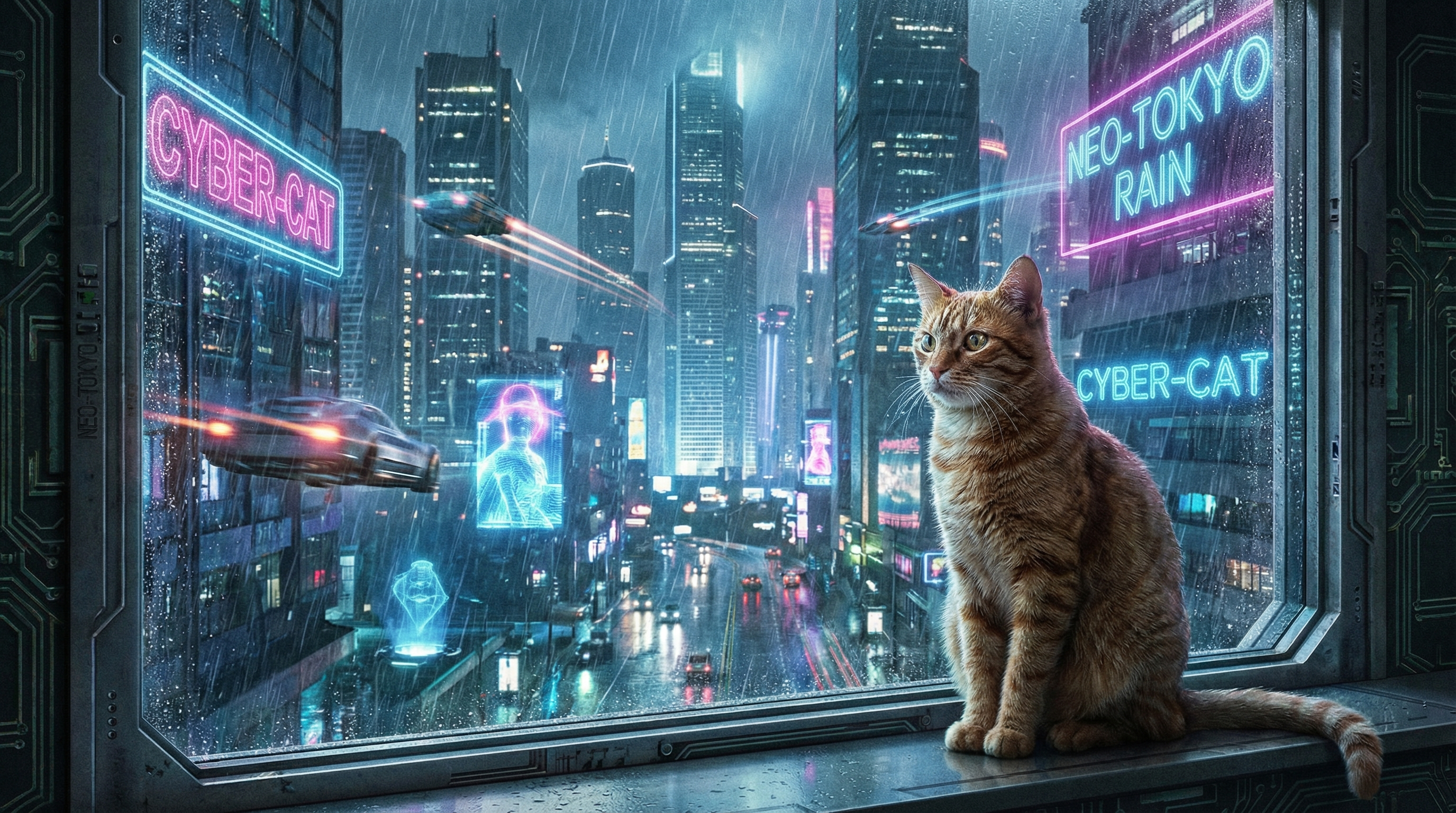 You can decode the base64 image data with an online tool (such as [Base64 Image Viewer](https://base64-image-viewer.poixe.com/)) or programmatically.
## Parameters
### Output type
Use `responseModalities` to control what is returned:
```json theme={"theme":{"light":"min-light","dark":"min-dark"}}
{
"generationConfig": {
"responseModalities": ["Image"] // Return only the image, no text
}
}
```
Supported values: `Text`, `Image`
### Aspect ratio
Use `imageConfig.aspectRatio` to set the frame:
```json theme={"theme":{"light":"min-light","dark":"min-dark"}}
{
"generationConfig": {
"imageConfig": {
"aspectRatio": "16:9" // Set the aspect ratio to 16:9
}
}
}
```
Supported aspect ratios: `1:1`, `2:3`, `3:2`, `3:4`, `4:3`, `4:5`, `5:4`, `9:16`, `16:9`, `21:9`
### Resolution
Supported output resolutions:
```json theme={"theme":{"light":"min-light","dark":"min-dark"}}
{
"generationConfig": {
"imageConfig": {
"aspectRatio": "16:9",
"imageSize": "4K" // Set the resolution to 4K
}
}
}
```
Supported resolutions: `1K` (1024x1024), `2K` (2048x2048), `4K` (4096x4096)
## Nano Banana Pro exclusive features
`nano-banana-pro` (`gemini-3-pro-image-preview`) offers the following advanced features:
* **4K HD output**: supports three resolution levels: 1K/2K/4K
* **Advanced text rendering**: suited for infographics, menus, marketing assets, and similar scenarios
* **Thinking mode**: the model first generates draft concept images, then outputs the final high-quality image
* **Multi-reference blending**: supports up to 14 reference images (including 6 high-fidelity object images + 5 person images)
* **Google Search grounding**: generate images based on real-time data (weather, stocks, etc.)
## Nano Banana 2 exclusive features
`nano-banana-2` (`gemini-3.1-flash-image-preview`) delivers high-quality image generation and conversational editing at a mainstream price, with lower latency and higher throughput. It is an efficient counterpart to `nano-banana-pro`, optimized for speed-sensitive and high-concurrency scenarios.
**Key updates:**
* **New resolution options**: supports `0.5K / 1K / 2K / 4K` (default 1K)
* **Enhanced real-time search**: combines text and image search results to give generation real-time information
* **Controllable thinking mode**: the thinking phase can be turned on or off
* **New aspect ratios**: supports `1:4`, `4:1`, `1:8`, `8:1`
* **Better aspect ratio adherence**: output framing is more stable
* **Improved image quality and consistency**
* **Improved multilingual text rendering (i18n)**
## Limitations
* Best-supported languages: English, Chinese, Japanese, Korean, French, German, Spanish, and other major languages
* Audio and video input are not supported
* All generated images include a [SynthID watermark](https://ai.google.dev/responsible/docs/safeguards/synthid?hl=zh-cn)
* Text rendering tip: first have the model generate the text content, then ask it to generate an image containing that text
## Using a client
We recommend [Cherry Studio](/en/use-cases/chat/cherry-studio). When configuring the model provider, choose the [Google Gemini native protocol](/en/api-reference/text-api/google-gemini-content/overview).
## Prompt resources
Community-curated prompts and generation examples
Google's official Hackathon toolkit
## FAQ
* Fast image output, general scenarios → `nano-banana` or `gemini-2.5-flash-image`
* HD output, text rendering, professional design → `nano-banana-pro` or `gemini-3-pro-image-preview`
* High-concurrency batch generation or cost-sensitive scenarios → `nano-banana-2` or `gemini-3.1-flash-image-preview`
None. `nano-banana` is an alias mapping within Poixe; the model actually called is
`gemini-2.5-flash-image`.
Likewise, `nano-banana-pro` maps to `gemini-3-pro-image-preview`, and they are the same model.
For stability, we recommend using the official model names directly.
Images are returned as base64-encoded data, usually PNG or JPEG, ready to use once decoded.
Yes. You can upload images and edit them conversationally. Nano Banana Pro has stronger local editing capabilities.
The model does not always generate exactly the number of images requested. This is a known limitation of the model.
## Related links
* [Google Gemini image generation documentation](https://ai.google.dev/gemini-api/docs/image-generation?hl=zh-cn)
* [Nano Banana official pricing](https://ai.google.dev/gemini-api/docs/pricing?hl=zh-cn#gemini-2.5-flash-image)
* [Nano Banana Pro official pricing](https://ai.google.dev/gemini-api/docs/pricing?hl=zh-cn#gemini-3-pro-image-preview)
* [Nano Banana 2 official pricing](https://ai.google.dev/gemini-api/docs/pricing?hl=zh-cn#gemini-3.1-flash-image-preview)
* [Google Gemini Content API Protocol](/en/api-reference/text-api/google-gemini-content/overview)
This documentation is built and hosted on [Mintlify](https://mintlify.com), a developer documentation platform.
You can decode the base64 image data with an online tool (such as [Base64 Image Viewer](https://base64-image-viewer.poixe.com/)) or programmatically.
## Parameters
### Output type
Use `responseModalities` to control what is returned:
```json theme={"theme":{"light":"min-light","dark":"min-dark"}}
{
"generationConfig": {
"responseModalities": ["Image"] // Return only the image, no text
}
}
```
Supported values: `Text`, `Image`
### Aspect ratio
Use `imageConfig.aspectRatio` to set the frame:
```json theme={"theme":{"light":"min-light","dark":"min-dark"}}
{
"generationConfig": {
"imageConfig": {
"aspectRatio": "16:9" // Set the aspect ratio to 16:9
}
}
}
```
Supported aspect ratios: `1:1`, `2:3`, `3:2`, `3:4`, `4:3`, `4:5`, `5:4`, `9:16`, `16:9`, `21:9`
### Resolution
Supported output resolutions:
```json theme={"theme":{"light":"min-light","dark":"min-dark"}}
{
"generationConfig": {
"imageConfig": {
"aspectRatio": "16:9",
"imageSize": "4K" // Set the resolution to 4K
}
}
}
```
Supported resolutions: `1K` (1024x1024), `2K` (2048x2048), `4K` (4096x4096)
## Nano Banana Pro exclusive features
`nano-banana-pro` (`gemini-3-pro-image-preview`) offers the following advanced features:
* **4K HD output**: supports three resolution levels: 1K/2K/4K
* **Advanced text rendering**: suited for infographics, menus, marketing assets, and similar scenarios
* **Thinking mode**: the model first generates draft concept images, then outputs the final high-quality image
* **Multi-reference blending**: supports up to 14 reference images (including 6 high-fidelity object images + 5 person images)
* **Google Search grounding**: generate images based on real-time data (weather, stocks, etc.)
## Nano Banana 2 exclusive features
`nano-banana-2` (`gemini-3.1-flash-image-preview`) delivers high-quality image generation and conversational editing at a mainstream price, with lower latency and higher throughput. It is an efficient counterpart to `nano-banana-pro`, optimized for speed-sensitive and high-concurrency scenarios.
**Key updates:**
* **New resolution options**: supports `0.5K / 1K / 2K / 4K` (default 1K)
* **Enhanced real-time search**: combines text and image search results to give generation real-time information
* **Controllable thinking mode**: the thinking phase can be turned on or off
* **New aspect ratios**: supports `1:4`, `4:1`, `1:8`, `8:1`
* **Better aspect ratio adherence**: output framing is more stable
* **Improved image quality and consistency**
* **Improved multilingual text rendering (i18n)**
## Limitations
* Best-supported languages: English, Chinese, Japanese, Korean, French, German, Spanish, and other major languages
* Audio and video input are not supported
* All generated images include a [SynthID watermark](https://ai.google.dev/responsible/docs/safeguards/synthid?hl=zh-cn)
* Text rendering tip: first have the model generate the text content, then ask it to generate an image containing that text
## Using a client
We recommend [Cherry Studio](/en/use-cases/chat/cherry-studio). When configuring the model provider, choose the [Google Gemini native protocol](/en/api-reference/text-api/google-gemini-content/overview).
## Prompt resources
Community-curated prompts and generation examples
Google's official Hackathon toolkit
## FAQ
* Fast image output, general scenarios → `nano-banana` or `gemini-2.5-flash-image`
* HD output, text rendering, professional design → `nano-banana-pro` or `gemini-3-pro-image-preview`
* High-concurrency batch generation or cost-sensitive scenarios → `nano-banana-2` or `gemini-3.1-flash-image-preview`
None. `nano-banana` is an alias mapping within Poixe; the model actually called is
`gemini-2.5-flash-image`.
Likewise, `nano-banana-pro` maps to `gemini-3-pro-image-preview`, and they are the same model.
For stability, we recommend using the official model names directly.
Images are returned as base64-encoded data, usually PNG or JPEG, ready to use once decoded.
Yes. You can upload images and edit them conversationally. Nano Banana Pro has stronger local editing capabilities.
The model does not always generate exactly the number of images requested. This is a known limitation of the model.
## Related links
* [Google Gemini image generation documentation](https://ai.google.dev/gemini-api/docs/image-generation?hl=zh-cn)
* [Nano Banana official pricing](https://ai.google.dev/gemini-api/docs/pricing?hl=zh-cn#gemini-2.5-flash-image)
* [Nano Banana Pro official pricing](https://ai.google.dev/gemini-api/docs/pricing?hl=zh-cn#gemini-3-pro-image-preview)
* [Nano Banana 2 official pricing](https://ai.google.dev/gemini-api/docs/pricing?hl=zh-cn#gemini-3.1-flash-image-preview)
* [Google Gemini Content API Protocol](/en/api-reference/text-api/google-gemini-content/overview)
This documentation is built and hosted on [Mintlify](https://mintlify.com), a developer documentation platform.